Drowsy Guard presentation slides
A six-slide deck drawn from the research proposal and from what the prototype has actually measured so far. It is deliberately short: concept, flow, equipment, current results, conclusion - one idea per slide, each carried by a picture rather than by bullets.
Slide deck
16:9 widescreen, PowerPoint format, with speaker notes on every slide.
Also here: a deck that runs in the browser
A second deck, written independently, covers the same ground as eight slides in a
single self-contained HTML file - no PowerPoint needed. Arrow keys advance it,
Ctrl+P prints it as landscape A4, and it falls back to a drawn build diagram
until a real bench photo is dropped in.
Open the browser deck · presenting, exporting and editing it
The two are alternatives rather than halves of one thing - they were built in parallel and overlap almost completely. Pick whichever suits the room, and retire the other rather than maintaining both.
What is on each slide
| # | Slide | The one point it makes |
|---|---|---|
| 1 | Title | What the device is, who built it, and that it runs with no cloud. |
| 2 | Concept | Drowsiness is a duration, not a frame - four signs, each with its threshold. |
| 3 | Flow | See → Find → Measure → Confirm → Warn, all five steps on the device. |
| 4 | Equipment | Five off-the-shelf parts, about US$ 27 in total. |
| 5 | Where it is now | The measured numbers from the first hardware run, and the gap that remains. |
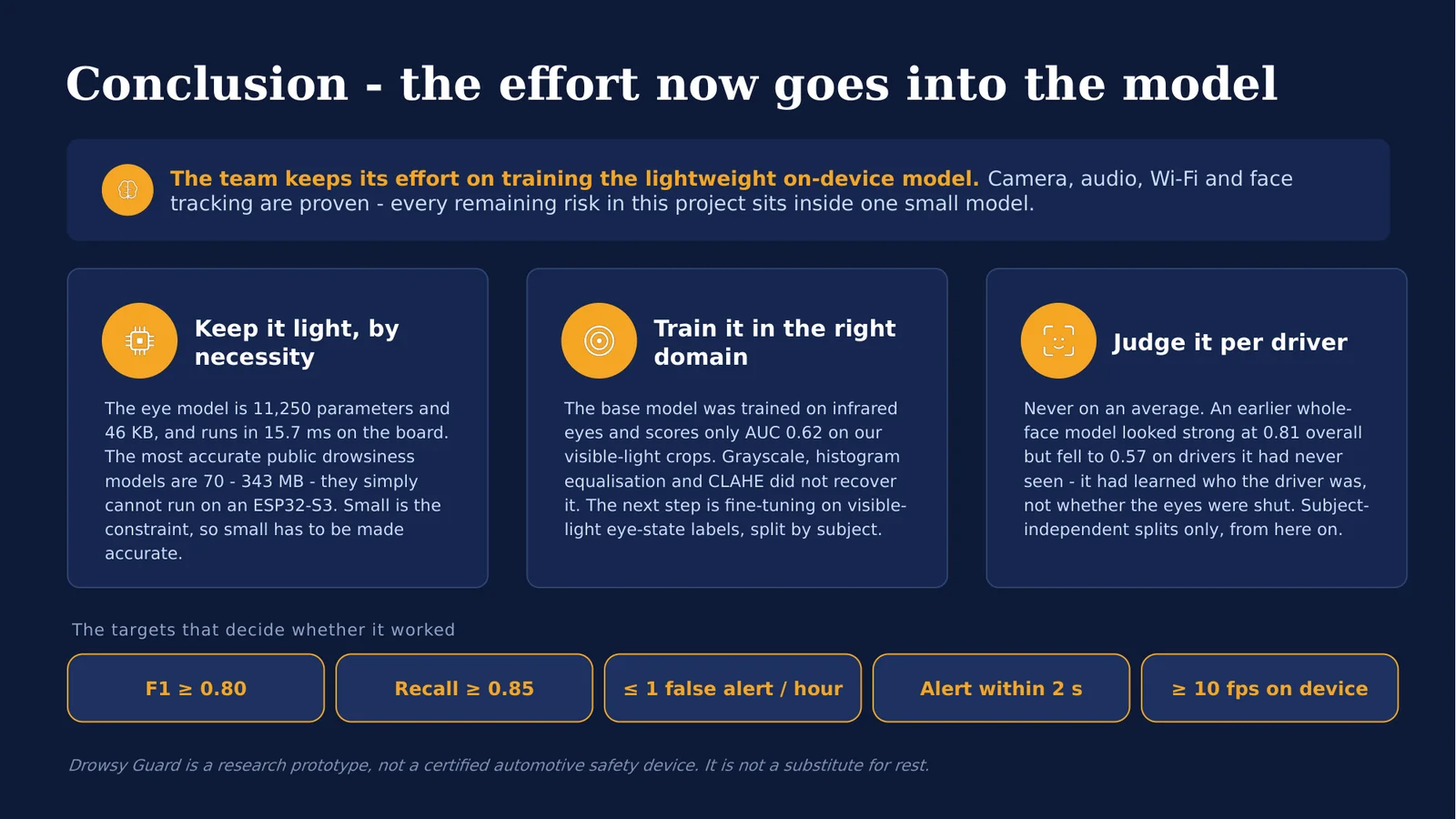
| 6 | Conclusion | The effort now goes into training the lightweight on-device model. |
Slides

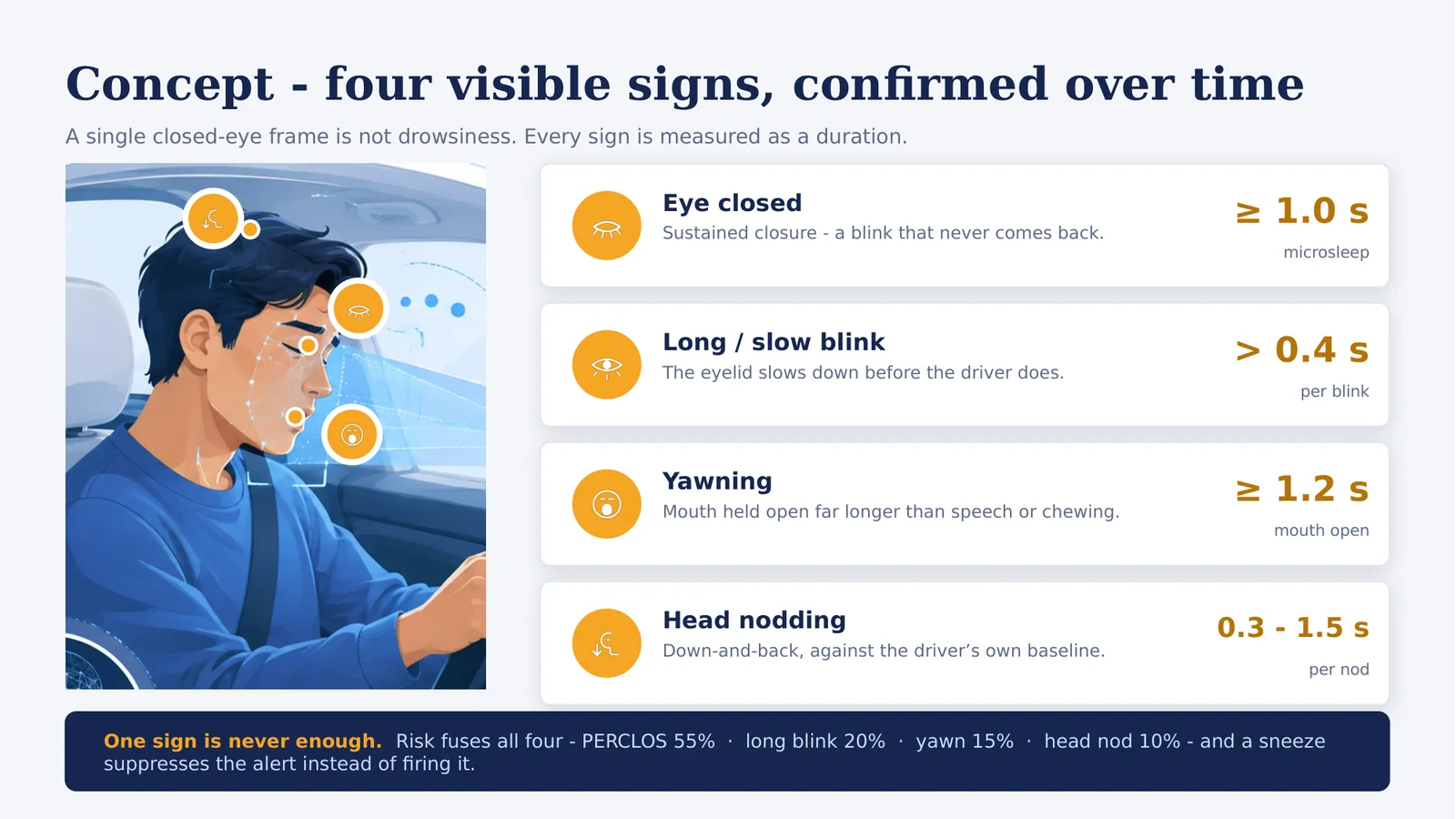
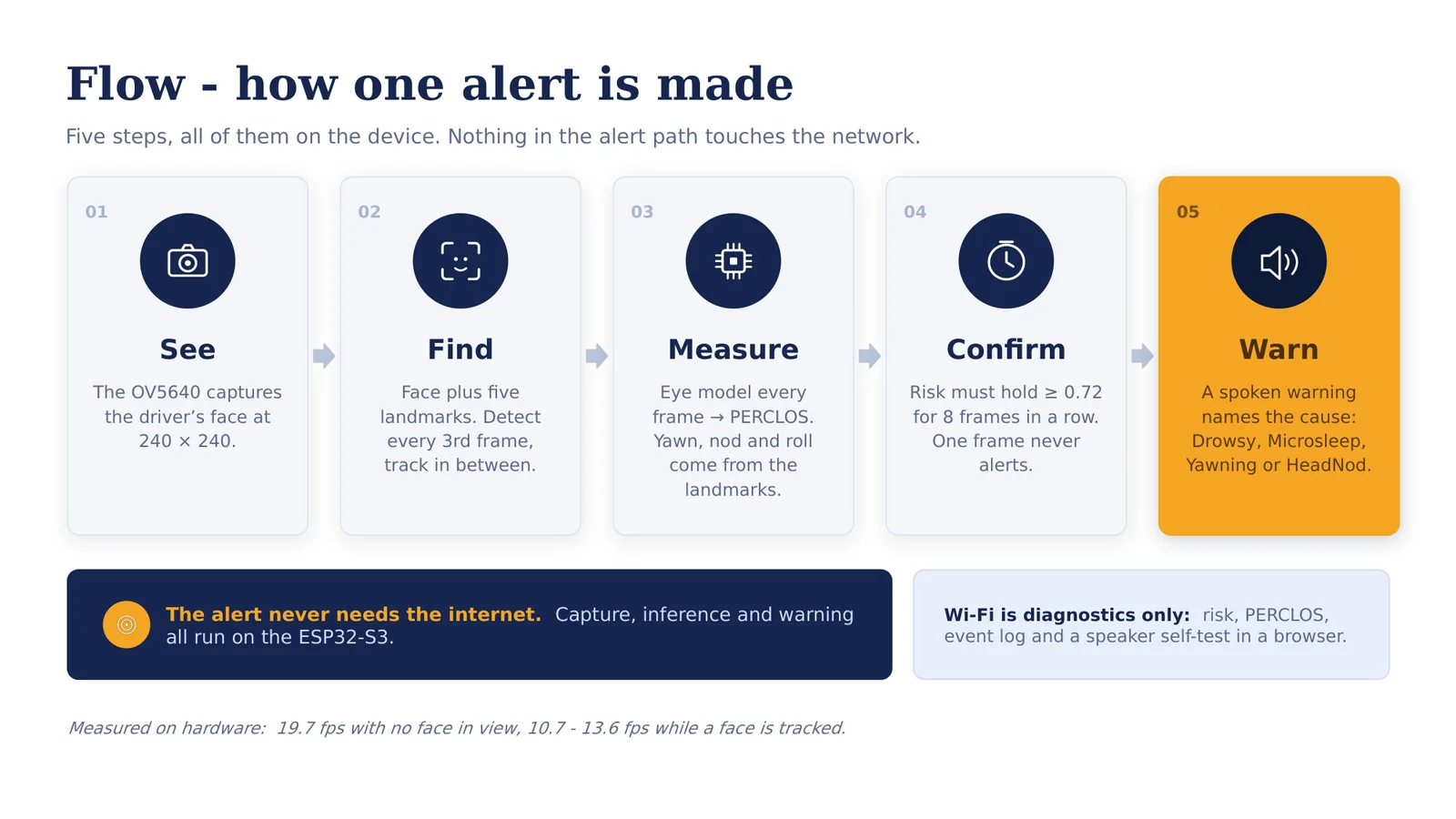
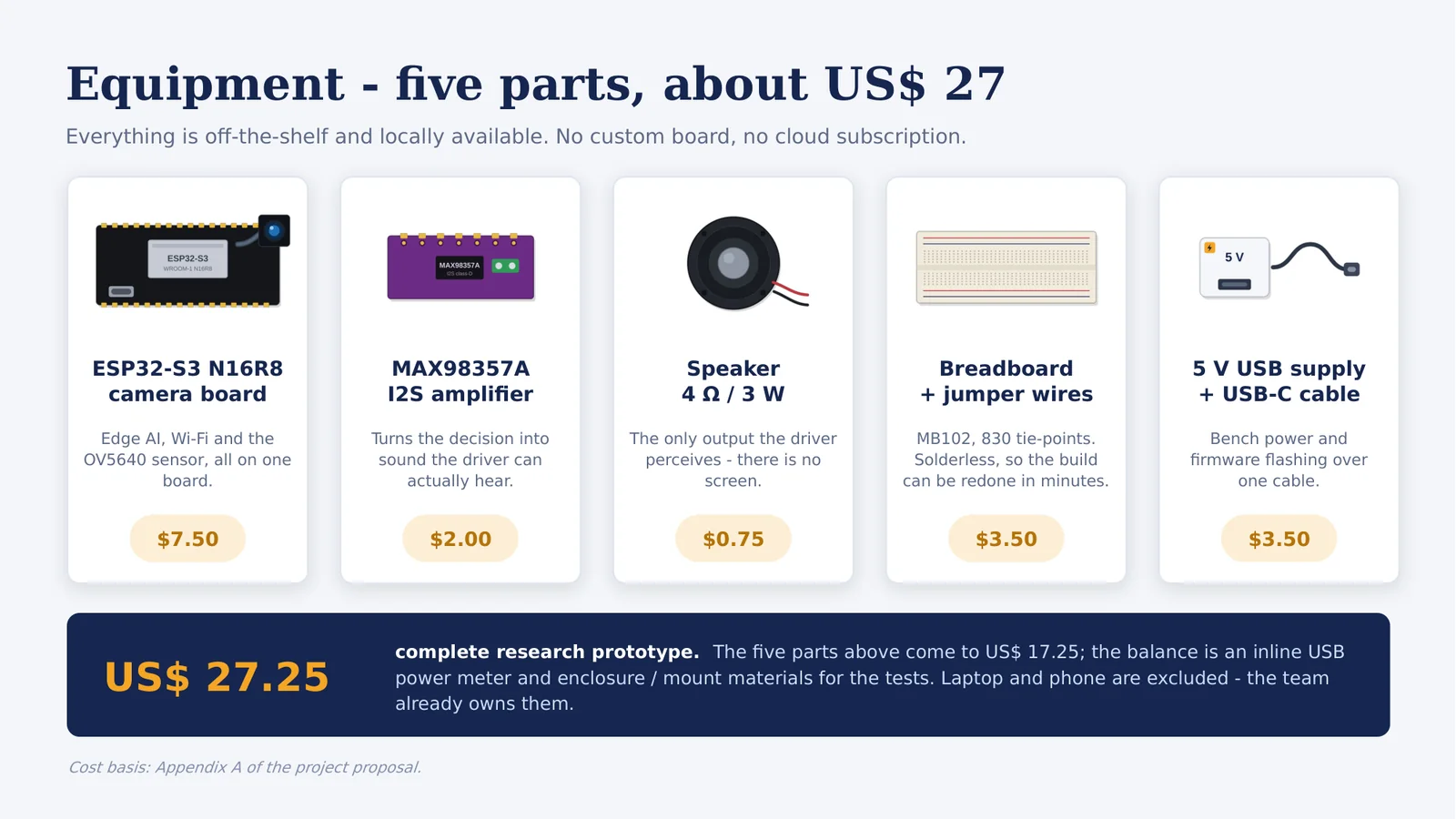
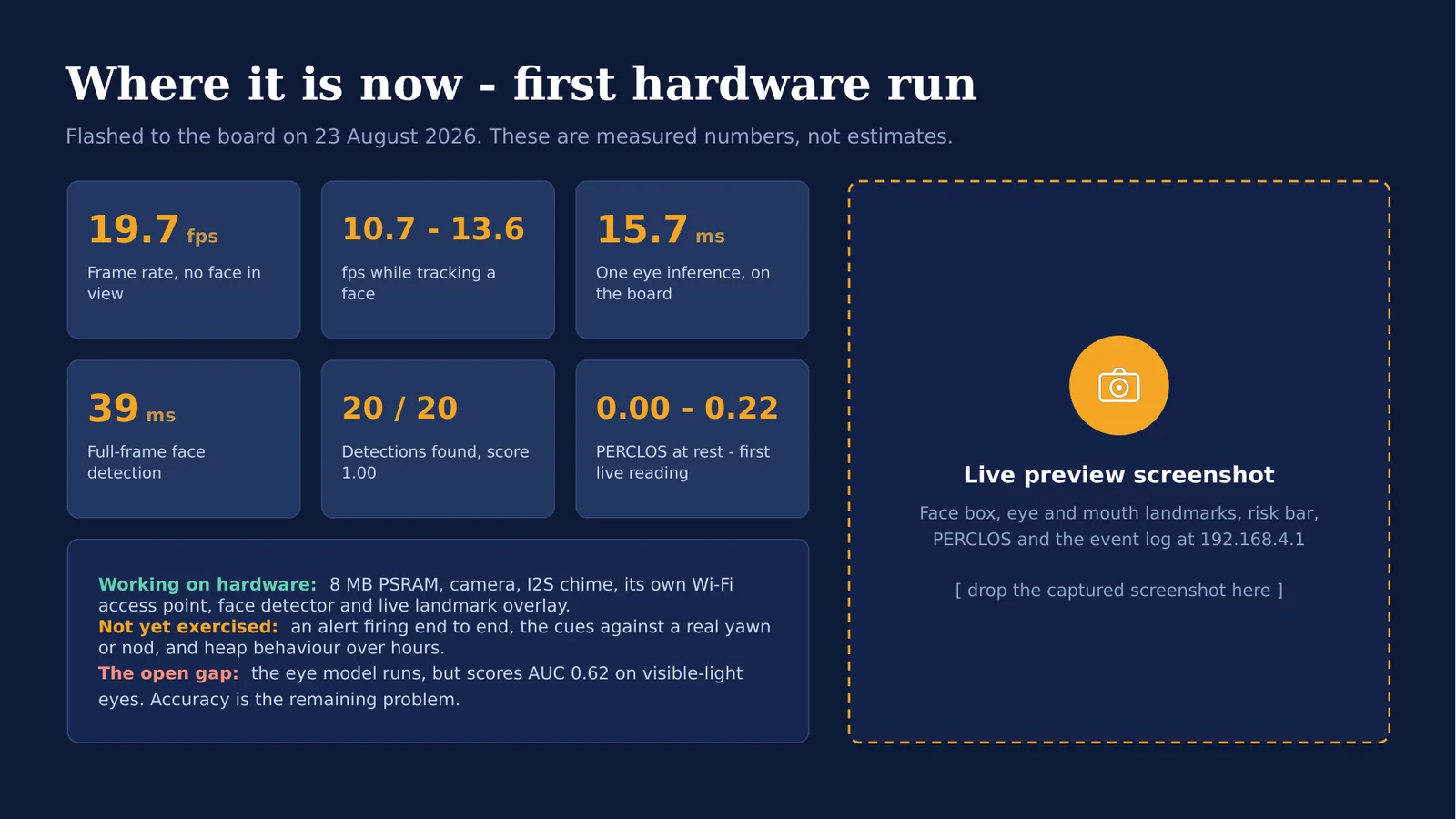
Slide 5 has an empty screenshot panel
The dashed panel on the results slide is a deliberate slot for a screenshot of
the live preview at 192.168.4.1 - face box, landmarks, risk bar and event
log. Capture one from a running board and drop it in before presenting. The
numbers beside it are already real and need no change.
Rebuilding the deck
The deck is generated, not hand-edited, so a change to a threshold or a measured number is a one-line edit and a rebuild:
cd scripts/presentation
npm install          # pptxgenjs + sharp, first time only
npm run build        # writes docs/assets/documents/DrowsyGuard-Presentation.pptx
gen_assets.js draws every illustration - the component art and cue icons as SVG,
the two photographs as crops of docs/assets/images/drowsy-guard-cover.png - into
scripts/presentation/build/. build_deck.js then lays out the six slides. Neither
the intermediate art nor node_modules/ is tracked; the built .pptx is.
Editing the file directly in PowerPoint works too, but the next rebuild overwrites
it - put lasting changes in build_deck.js.