Claude Organization Usage Monitor
A native Windows desktop application for Owners and Primary Owners of a Claude organization: monitor organization-wide adoption, identify low-usage accounts, compute a transparent Weighted Usage Index, raise minimum-usage alerts, and export management-ready reports — using only officially supported Anthropic APIs.




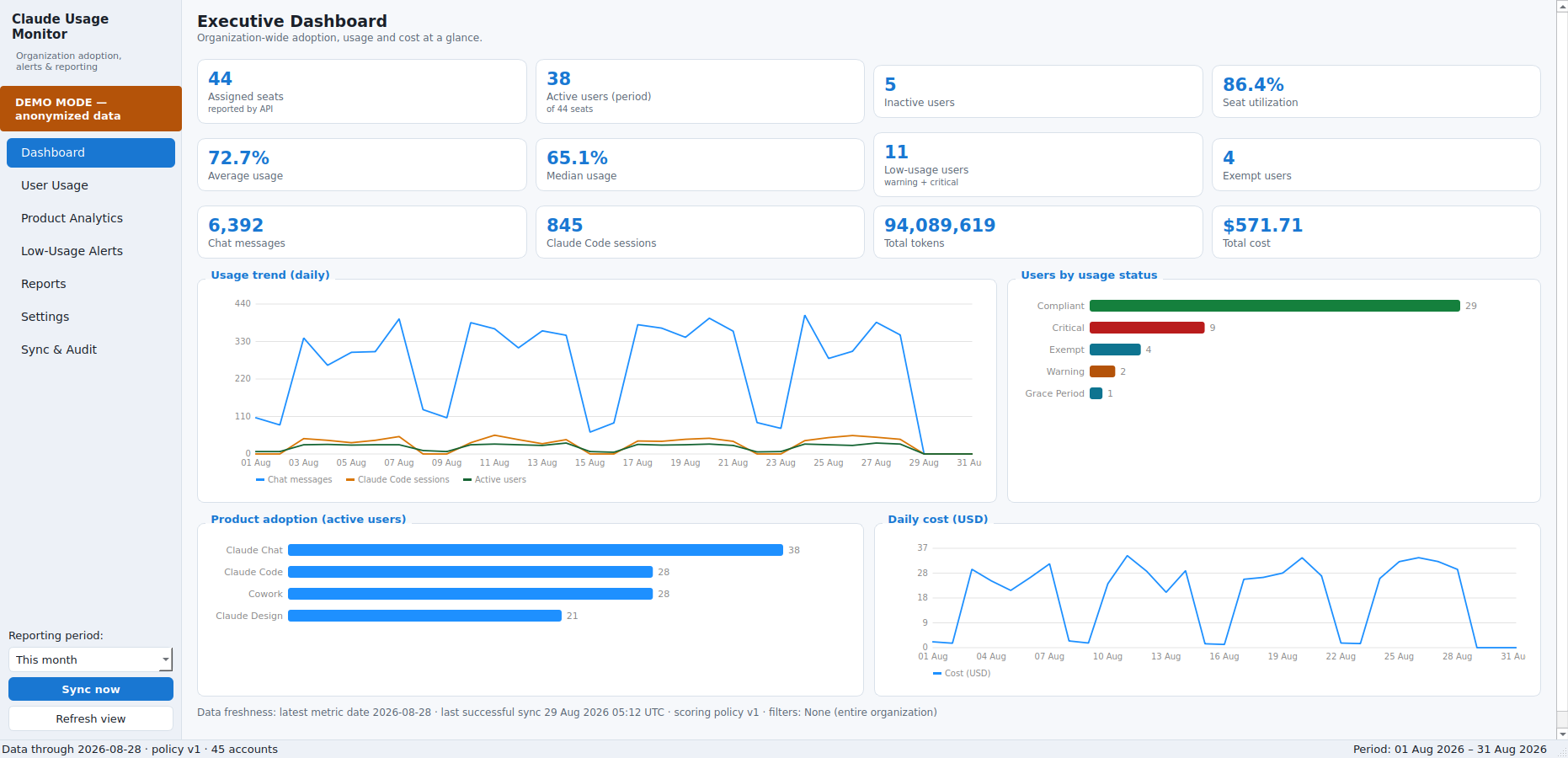
Evaluate it without credentials
Launch Demo Mode — the Start-menu shortcut, or --demo — to explore the
whole application against an anonymized synthetic organization: dashboards,
alerts, exemptions, imports and all seven report formats, with no API key
and no connection to your real organization.
Start here
Download
The current installer and portable build, every previous version for rollback, with file sizes and SHA-256 checksums.
Installation
Install or run portable, deploy silently with Intune or SCCM, and complete the first-run checklist.
API key setup
Create the Analytics and Admin keys, store them securely, and confirm which data your plan provides.
Administrator guide
Every screen, the alerting and exemption workflow, and a recommended operating rhythm.
Report methodology
How each figure is calculated, including the Weighted Usage Index formula and its limitations.
Security & privacy
Exactly what is collected — usage metadata only — and how credentials are protected.
What it does
- Official data sources only. Claude Enterprise Analytics API, Claude Code Analytics Admin API, Usage & Cost Admin API, Admin users and invites, plus official CSV export imports. Read-only, with no scraping or browser automation of any kind.
- Works on the Team plan too. Anthropic offers no analytics APIs on the Team plan, so the application runs key-less there: import the official claude.ai exports (Claude Code analytics and the per-user/per-model spend report) and every dashboard, alert and report works identically. The browser-based usage analyzer reads the same exports with no install at all — your file never leaves your device.
- Capability detection. Every data category is probed and reported as Available or Unavailable with the reason. Data your plan does not provide is shown as Unavailable or No Data — never as zero usage.
- Transparent scoring. Configurable weights, targets and contribution caps. The formula, the policy version and the per-metric breakdown are visible in the application and in every exported report, so any number can be defended.
- Alerting with governance. Thresholds globally or per group, new-user grace periods, minimum active days, duplicate suppression, and a dedicated exemption register covering exact addresses, wildcards, domains and groups.
- Seven export formats. PDF, Excel, Word, PowerPoint, CSV, HTML and JSON, all rendered from a single data snapshot so exported figures always match what is on screen.
- Monitoring only. The application never modifies, suspends or removes a user account.
Downloads
⬇ Go to the Download page for the current Windows installer and portable build, plus every previous version for rollback, with file sizes and SHA-256 checksums.
Each published build has passed the full automated test suite and an end-to-end check of the packaged application before release.
Claude Organization Usage Monitor is proprietary software provided for internal use. It is not open source; source code, build instructions and release notes are not published on this site. For questions, licensing or support, contact your IT administrator — or read about the studio behind it.